Support orgstar through GitHub Sponsors.
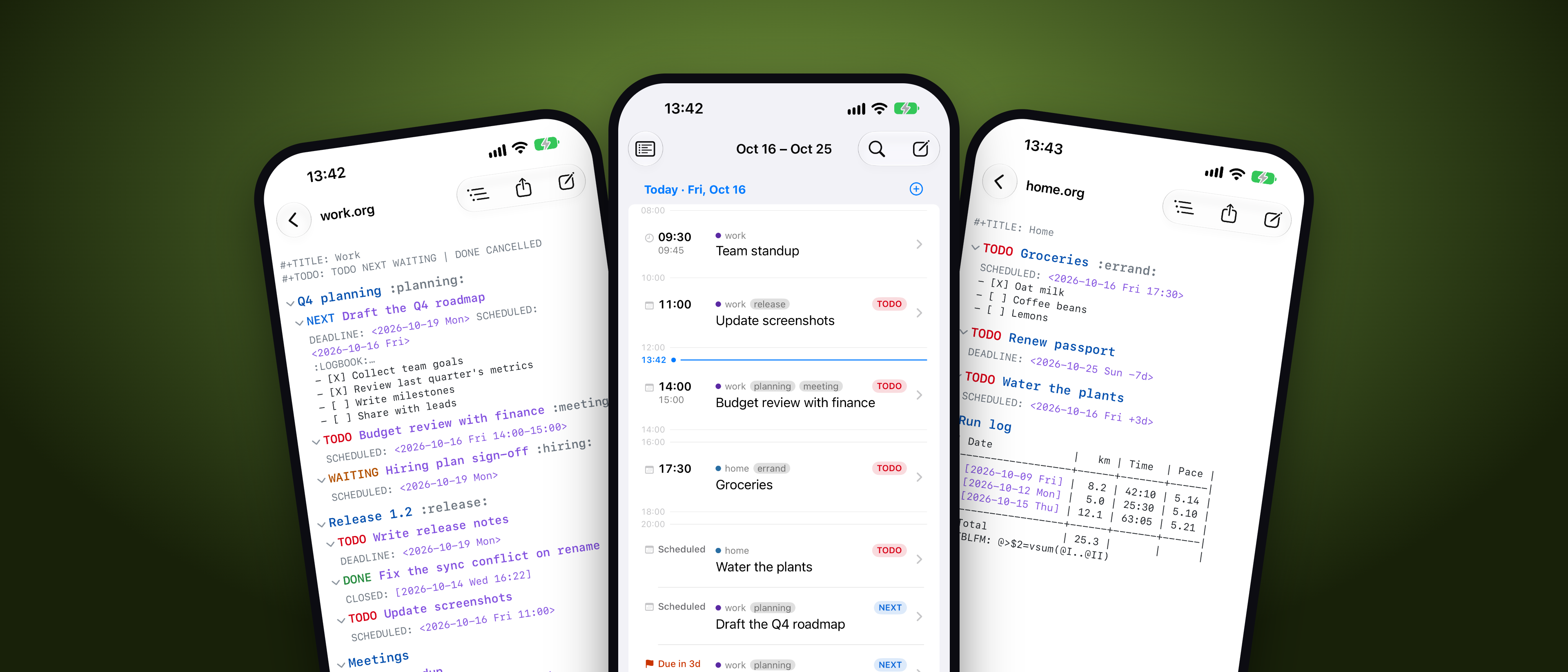
orgstar is an editor for Org mode files on the Mac, iPhone and
iPad. It reads and writes the same plain-text .org files Emacs does, and leaves every
byte you didn't change as it was, so Emacs, the Mac app, the iOS app and your sync tool
can all work on the same folder.
Download for Mac · App Store (iPhone and iPad) · Manual · Screenshots
Your files stay yours
There is no database of your notes and no account. orgstar works on folders you choose, in iCloud Drive, a Syncthing folder or anywhere else, and keeps only an index for search and the agenda, rebuilt from the files whenever they change. Open the same files in Emacs tomorrow and nothing has been reformatted.
What it does
- Editor. Headings, TODO keywords, priorities, tags, timestamps, links, lists, tables and source blocks, styled as you type. Folding, structure editing, and Emacs, Mac or Doom (Vim) keys.
- Agenda. Scheduled items, deadlines and timestamps from all your files, by day, with habits and Calendar events. On the Mac, a board shows entries as a table or as kanban columns.
- Capture. Capture templates as in Org, from a global shortcut, the share sheet,
Shortcuts, widgets, or
org-protocol://links, so existing browser bookmarklets work unchanged. - Clocking. Clock in and out of entries, with clock reports and a Live Activity on iPhone.
- Tables. Aligned as you type, with
#+TBLFMformulas. - Code blocks. Run source blocks and tangle them into files, as
org-babel-tangledoes. - Export. HTML and Markdown built in; PDF, LaTeX, ODT and more through Emacs when it is installed.
- Search. Across file names, headings and text, plus Spotlight and Quick Look
previews of
.orgfiles.
Coming from Emacs
orgstar behaves the way Org does where the two overlap. Settings ▸ General ▸ Import from
Emacs reads an existing Emacs or Doom configuration and carries over its org settings,
folders, capture templates, key bindings and agenda views. Settings live in plain files
under ~/.config/orgstar/, so they can sit in your dotfiles next to your Emacs config.
Get it
On the Mac (macOS 26 or later), with Homebrew:
brew tap krz/tap https://gitbay.org/krz/homebrew-tap.git
brew install --cask orgstar
or download the notarized DMG from the files.krz.sh/orgstar. The iPhone and iPad app (iOS 26 or later), with its Apple Watch app, is on the App Store.
orgstar+
Editing, the agenda, capture, clocking, tables, search, and HTML and Markdown export are free. orgstar+ adds running and tangling source blocks; PDF, LaTeX, ODT, Word and rich-text export and publishing; encrypting entries (decrypting stays free); org-roam nodes, daily notes and backlinks; widgets, the Apple Watch app and the clock Live Activity; Calendar and Reminders in the agenda; and Shortcuts actions.
- iPhone and iPad: in-app, $1.99 a month, $19.99 a year or $39.99 once.
- Mac: by sponsoring on GitHub, $60 once for a license key that doesn't expire, or $5 a month for a key orgstar renews while you sponsor. Sign in with GitHub at krz.sh/apps/orgstar/license for the key and enter it in Settings ▸ orgstar+.
Anyone who installed orgstar before orgstar+ keeps every feature without buying it.
On iPhone and iPad, anyone can also leave a one-time tip in Settings ▸ About orgstar. Tips unlock nothing.
To build from source, contribute or release (the Mac app and the App Store), see CONTRIBUTING.html.
Copyright © 2026 Christian Cleberg. All rights reserved; see LICENSE.
About
Swift 65.5%C 15.3%Markdown 9.3%Org 9%Shell 0.5%JavaScript 0.2%HTML 0%Ruby 0%CSS 0%
1 contributorcmc
Clone
SSHgit clone ssh://git@gitbay.org/krz/orgstar.gitgit clone https://gitbay.org/krz/orgstar.git