docs/src
| name | last commit | updated |
|---|---|---|
| config/ | better config loading (issue 29) | 3 years ago |
| explaination/ | offline library | 3 years ago |
| images/ | 0.6.0 | 3 years ago |
| README.md | better config loading (issue 29) | 3 years ago |
| SUMMARY.md | offline library | 3 years ago |
| basic_usage.md | offline library | 3 years ago |
| changelogs.md | better config loading (issue 29) | 3 years ago |
| commands.md | better config loading (issue 29) | 3 years ago |
| contributors.md | offline library | 3 years ago |
| installation.md | better config loading (issue 29) | 3 years ago |
Overview
Written in Rust, the YouTube TUI is a lightweight and user friendly TUI for browsing YouTube content from the terminal.
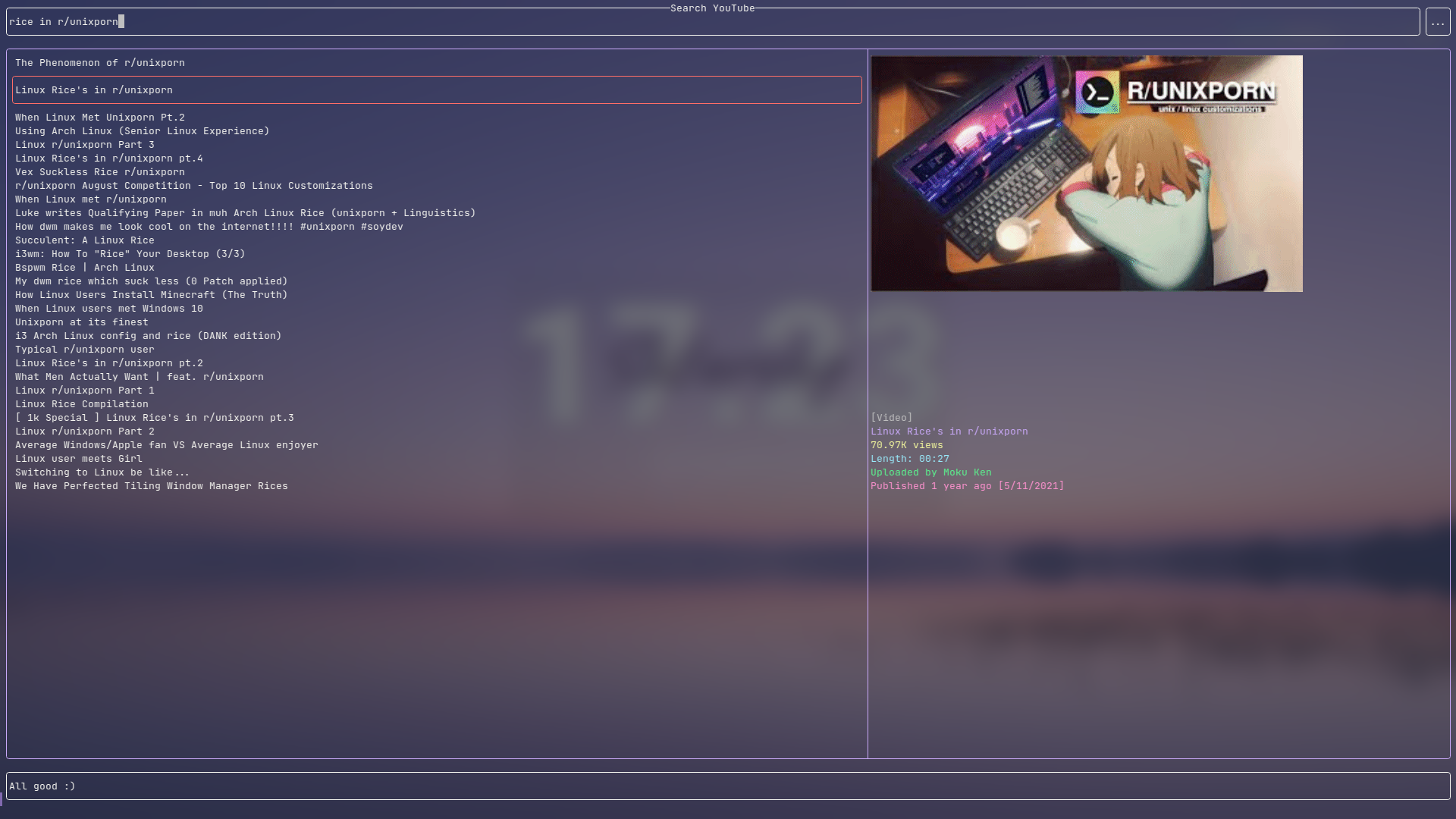
It is like an app launcher, it launches other programs to do the heavy lifting (for example, mpv for playing videos).
Consider regenerating config files on updates to allow new features.
Customisable
The YouTube TUI can be customised through config files, they are located in ~/.config/youtube-tui and are in the YAML format.
Here's an example of the config file:
mouse_support: true
invidious_instance: https://vid.puffyan.us
max_watch_history: 50
allow_unicode: false
images: Sixels
refresh_after_modifying_search_filters: true
provider: YouTube
env:
  browser: firefox
  video-player: mpv
  youtube-downloader: yt-dlp
  terminal-emulator: konsole -e
Anything from layouts to colours and keybindings can be customised, more on that later.
Dependency-free*
See installation#features for more info on dependencies.
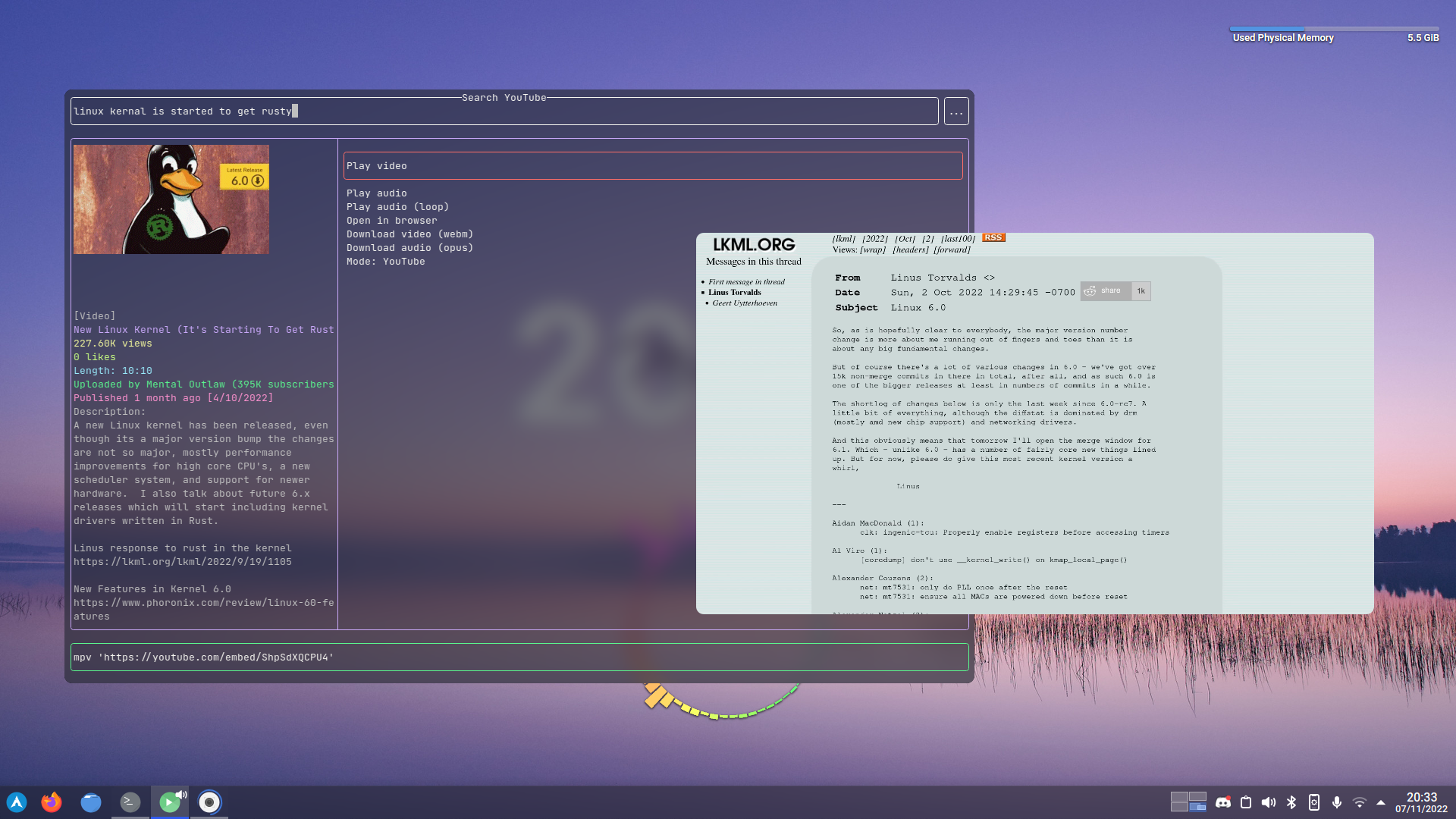
The YouTube TUI does not work on its own, it is instead like a TUI frontend for programs like mpv or yt-dlp/youtube-dl.
However, the programs to launch can be changed, and therefore the YouTube TUI does not rely on any specific dependencies to run.
Powerful
The YouTube TUI allows you to browse YouTube with (almost) all of it's features, functions including:
- View popular/trending videos
- View information about channels, playlists and videos
- Use search filters to sort and filter search results
- Save browsing history
It also includes features like:
- Vim-like commands
- Mouse support
- Extensible keybindings system
- Offline library
What it doesn't have
- Subscriptions (first priority)
- Clipboard feature that does not depend on the
clipboardfeature - Up arrow command history + Ctrl arrow keys move between words
How to contribute
You will need a general knowledge of the Rust programming language, and the ability to understand my spaghetti.
- Open an issue to make sure nobody else is working on the same feature
- Write code
- Open a pull request
- Get merged?
Or just fix that typo in README -_-