content/blog/2025-12-06-self-hosting-tor.org
116 lines · 3162 bytes
Self-Hosting Guide: Tor Websites
Installation
First, install the Tor package. I'm using Ubuntu, so I'll be using apt to
install Tor.
sudo apt install torConfiguration
Tor
Next, let's configure the service we'll be serving via Tor. For this, edit the file below and add the lines below to the end of the file.
sudo nano /etc/tor/torrcThe following lines you add to the file will define the directory to use and the internet protocol (IP) address and port we will be using.
HiddenServiceDir /var/lib/tor/hidden_service/
HiddenServicePort 80 127.0.0.1:5000
Next, you will need to cat the contents of the file below to find the onion
address provided to you.
sudo cat /var/lib/tor/hidden_service/hostnameNginx
With this onion address handy, create a file in your Nginx configuration
directory. Mine is conf.d, but yours may be sites-available. If that's the
case, don't forget to create a symbolic link from the file you created in
sites-available to sites-enabled.
sudo nano /etc/nginx/conf.d/tor-website.confWithin this Nginx configuration file, I will be using the file below. I have left comments to explain each part.
server {
	# The IP address and port Nginx will listen on
	listen 127.0.0.1:80;
	# The onion address to listen for
	server_name sv3g2dlyvwyk2nvi3eeh55fcrpdvjlclhi6wwsx57cste6lwdjanzyyd.onion;
	# The directory where your website files are
	root /var/www/tor-website/;

	# By default, try to serve the files. Return 404 if a file is not found.
	location / {
		try_files $uri $uri/ =404;
	}

	# Put any other configurations here at the end, such as redirects
	# ...
}
Finally, we can restart the services and check to see if it's working.
sudo systemctl restart nginx.service
sudo systemctl restart tor.service
At this point, you should be able to view your Onion address in Tor.
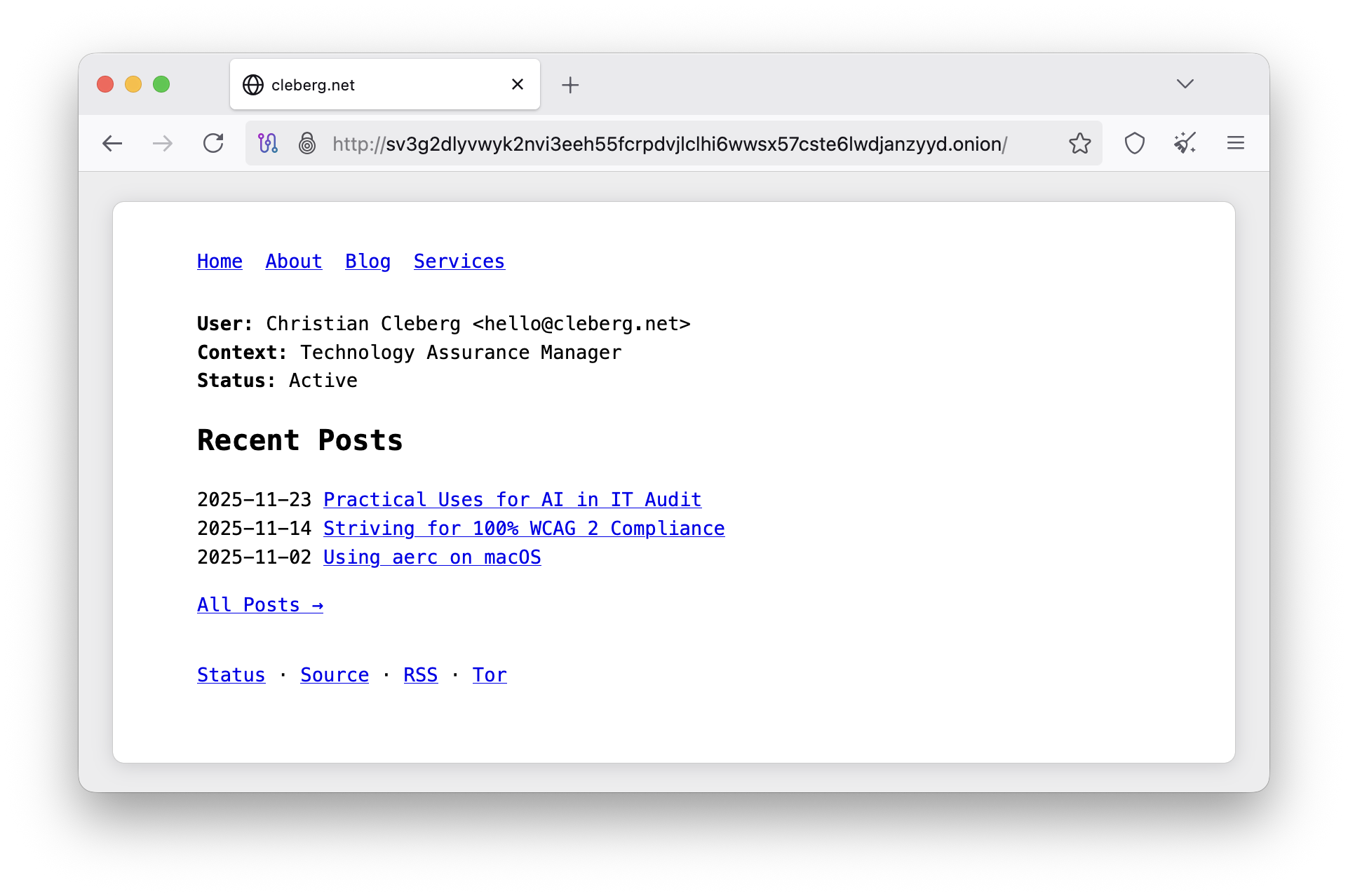
Onion-Location
Lastly, let's advertise the Onion-Location on our clearnet website so that
users on Tor can automatically switch to the Onion address if they want to.
sudo nano /etc/nginx/conf.d/regular_website.confserver {
server_name example.com;
add_header Onion-Location http://YourOnionAddress.onion$request_uri;
}Once complete, restart Nginx.
sudo systemctl restart nginx.service
You should now see a big purple button in Tor titled .onion available when
visiting the clearnet web page.
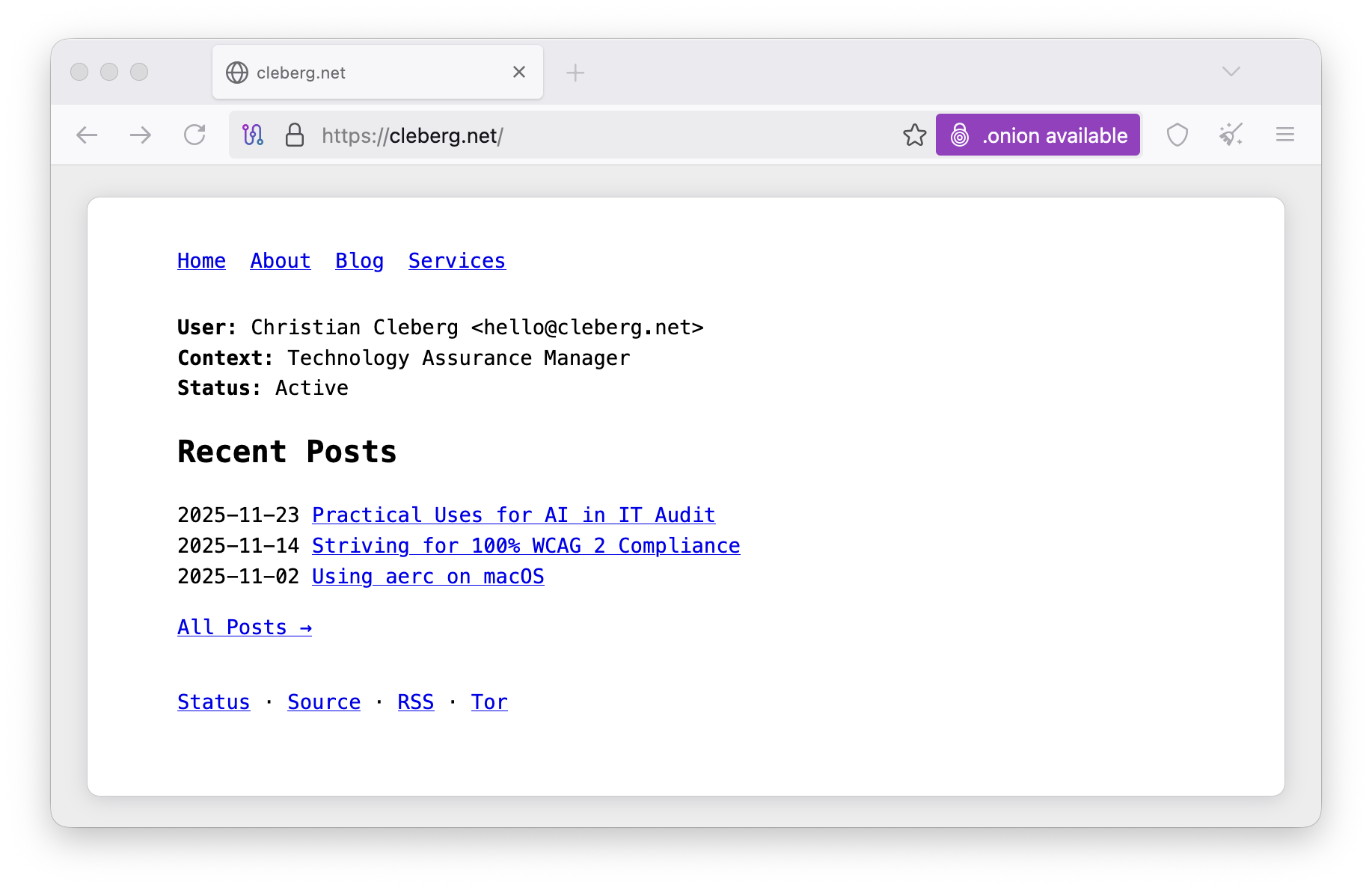
If everything worked, you're all done! You now have a website served via an onion address on Tor and an Onion-Location header advertising your new onion address.